Original worked guide / 2026-10-05
How to give website feedback a developer can implement
Give a developer the page, the relevant screenshot, current behaviour, desired behaviour and acceptance criteria. For a bug, include steps and device conditions. For a design change, include the business goal and approved content. One clear request per numbered mark makes review and estimation easier.
By Hasnain Qureshi / Karachi, working remotely with UK and US teams.
Replace vague requests with testable changes
| Vague feedback | Actionable request | Review evidence |
|---|---|---|
| Make the button better | On the homepage, label the main action Book a viewing and link to the agreed form | Visible and accessible name match; keyboard activation reaches the form |
| The form is broken | On mobile, submitting an invalid email clears all fields. Preserve input and show an associated message | Reproduce with the agreed viewport and invalid test email |
| More modern please | Use the approved heading scale and increase spacing between the availability list and enquiry action | Compare desktop and mobile against approved layout |
Capture the conditions
Save a screenshot at the viewport where the issue happens. Record the page address and steps such as opening the menu, selecting a suite or submitting a form. Note whether you are logged in and what the expected result is. Remove private account data from the screenshot before sharing it.
The Website Feedback & Redesign Planner records annotations on images you supply. It does not capture a live website, reproduce a network failure or diagnose accessibility. Attach a screen recording or relevant error evidence separately when an image cannot show the behaviour.
Use a small review workflow
- Write the goal and who is affected. Keep opinion-based preferences separate from agreed brand or usability requirements.
- Mark the area with a pin, arrow or highlight. Describe the current and requested behaviour in the note.
- Choose category and priority. State why a high-priority change blocks the goal; avoid marking every cosmetic preference as urgent.
- Assign an owner and an observable acceptance criterion. For example, a failed submission preserves input and a successful one confirms only after acceptance.
- Set the note to planned, in progress or done as the team reviews it. Save the project locally and export the updated brief rather than assuming a shared live workspace exists.
Handoff and acceptance
Download the blank change-request template or use the completed redesign example. Agree dependencies, access, content and what is out of scope before implementation. Review the delivered change under the same conditions; keep the screenshot reference so the developer knows which request is being accepted.
A standalone brief does not provide online collaboration, issue sync or version history. Retain dated local project files and tell the developer which one is current. If the changes need implementation, discuss Next.js website development with your actual site constraints and review process.
An annotated handoff example
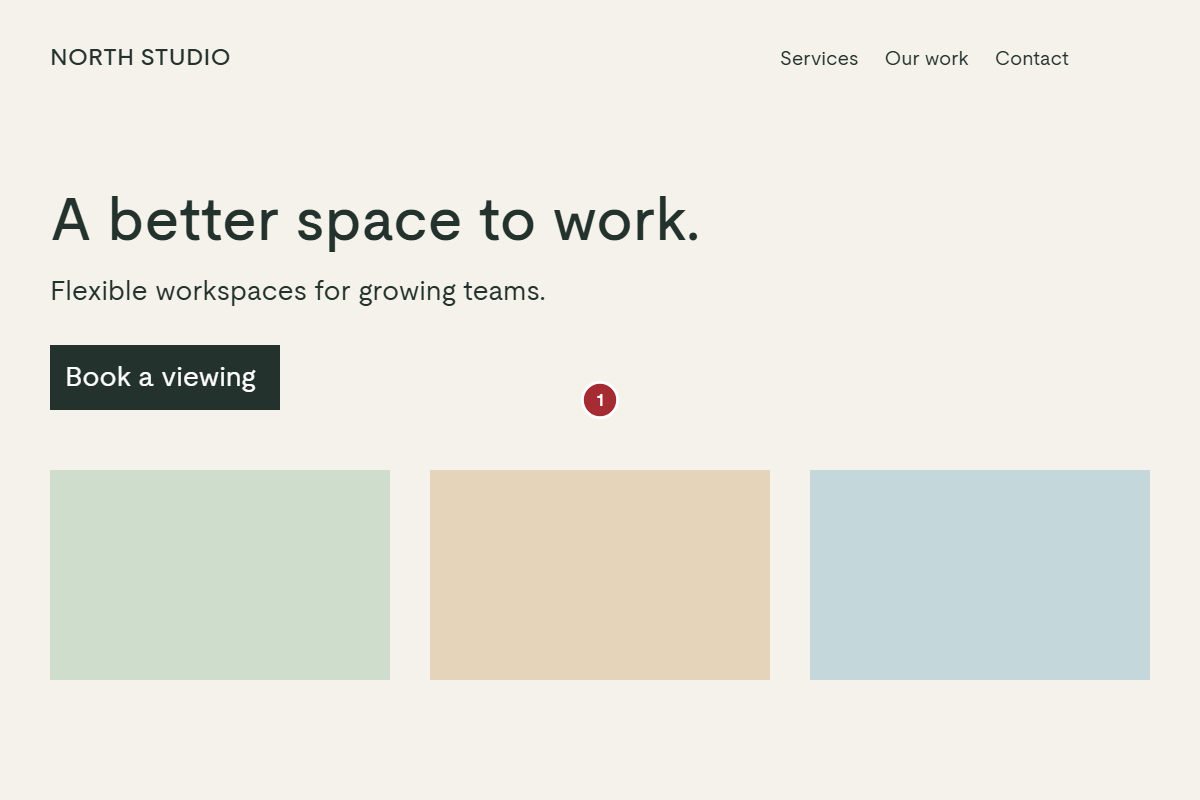
Read the exported demonstration brief. Page 1, mark 1 asks for verified availability and an editable review date, with a named content owner and an observable acceptance criterion.
Discuss your website changes
Share the current workflow, constraints and desired outcome. We can review scope and agree what needs implementation.