Original worked guide / 2026-10-05
Website redesign brief example: scope, feedback and acceptance
A useful redesign brief explains the audience, the business goal, the pages in scope and how each requested change will be accepted. A screenshot shows where the change belongs; acceptance criteria show what “done” means. The example here is synthetic and does not claim a client conversion result.
By Hasnain Qureshi / Karachi, working remotely with UK and US teams.
The project and its limits
North Studio is a fictional workspace website. The intended visitor is a team looking for a workspace. The goal is to help that team find a suitable space and request a viewing. Scope is the homepage and enquiry flow. A rebrand, pricing engine and CRM replacement are excluded until separately agreed.
Download the completed redesign brief or open Website Feedback & Redesign Planner and choose Try demo. The demo is an original interface illustration. Add up to five screenshots to a project; take a separate mobile screenshot to review mobile behaviour.
Three requests with observable outcomes
| Priority / owner | Request | Acceptance evidence |
|---|---|---|
| High / developer | Name the main action Book a viewing | Keyboard activation reaches the agreed form; accessible name matches the visible label |
| High / marketing lead | Show verified availability and review date | Editor can update content; unavailable space has a clear contact alternative |
| Medium / developer and form owner | Preserve entered values after a failed submission | Invalid email receives an associated message; failure preserves input; success appears only after acceptance |
Priorities describe impact on the agreed goal. They are not automatic urgency scores. The content owner supplies verified availability; the developer should not invent it. Agree form hosting and notification ownership before assigning the final acceptance test.
Build the handoff
- Name the project and its goal. Add the real page address as a reference; the tool does not fetch that URL.
- Add a pin, arrow or highlight. Write one actionable request per mark, including the current and desired behaviour.
- Set category, priority, owner and acceptance criteria. Keep an undecided requirement visible as a decision to agree.
- Download the annotated current-page PNG and the project text brief. The brief uses page.mark references; mark numbers on a PNG belong to that page.
- Save the project JSON locally to reopen screenshots and notes later. Use Print / save as PDF for a combined human-readable handoff. Project files contain the screenshots, so share them carefully.
Review scope before commissioning
Give the developer content assets, access constraints, dependencies and a review owner. A visual note cannot tell them whether the existing CMS or API supports a change. Ask for an estimate with assumptions and exclusions. Re-test the delivered change against the same criteria and device conditions.
Read the developer handoff template for reproducible bug reports. For a property-specific project, use the commercial property launch checklist. Implementation can be scoped through Next.js website development or commercial property website development.
See the planner and reopen a demo project
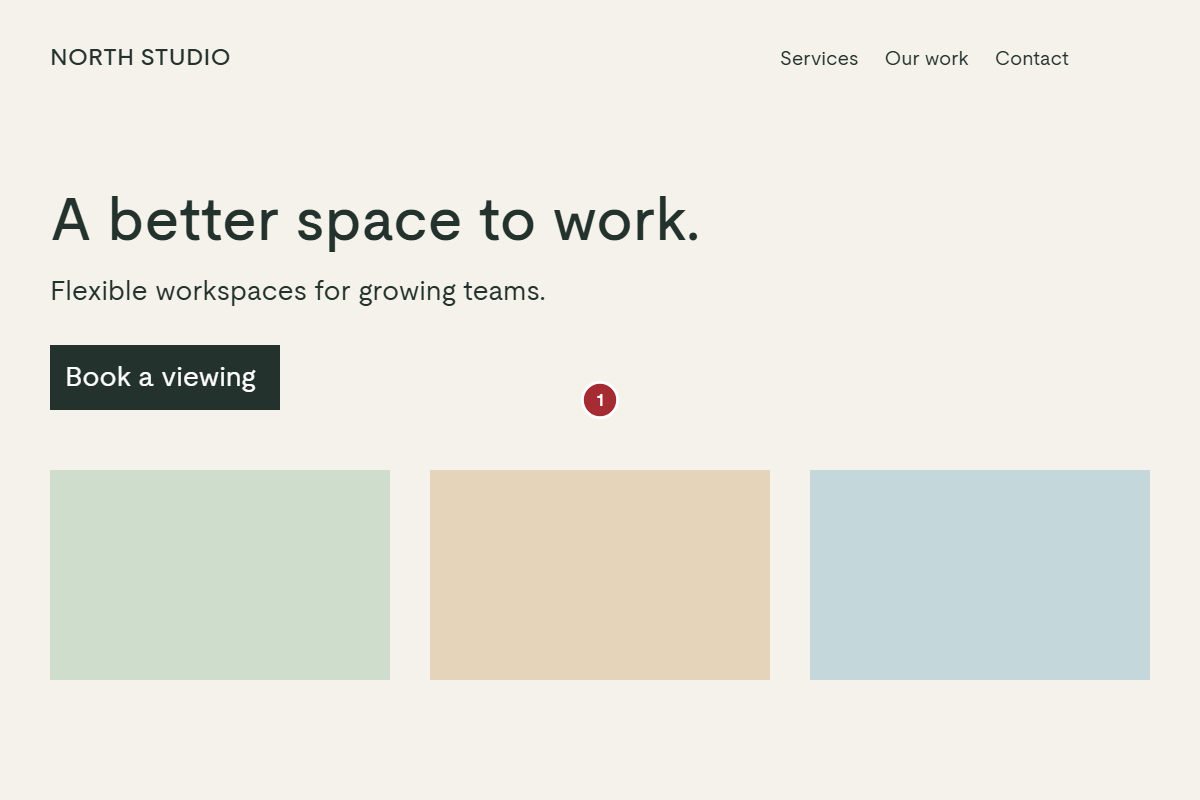
This separate tool demonstration marks the availability request. Its saved project has two screenshots and two requests; the written example above describes the broader three-request scope.
Workflow transcript: create a demo page; add a request with priority, owner and acceptance criteria; add a second screenshot and request; download the combined brief; save the project locally; clear and reopen it to continue reviewing the two-page project.
Download the synthetic two-page project and reopen it in the planner, or download its matching two-page brief. Screenshot text, names and feedback in these files are original examples, not private client work.
Discuss the frontend changes
Share the current workflow, constraints and desired outcome. We can review scope and agree what needs implementation.